Guide
Upgrading from ACC 5 to Unity 8
ACC 5 can't go straight to Unity 8. Go through ACC 7 first, and keep your config and license keys safe on the way.
Applies to Avigilon Control Center 5 → Unity 8
Read 1 min
Quick answer
Update ACC 5 to its latest version, move to ACC 7 and apply your upgrade key there, then upgrade to Unity 8.
The steps and the reason are below.
Unity 8 server and client requirements
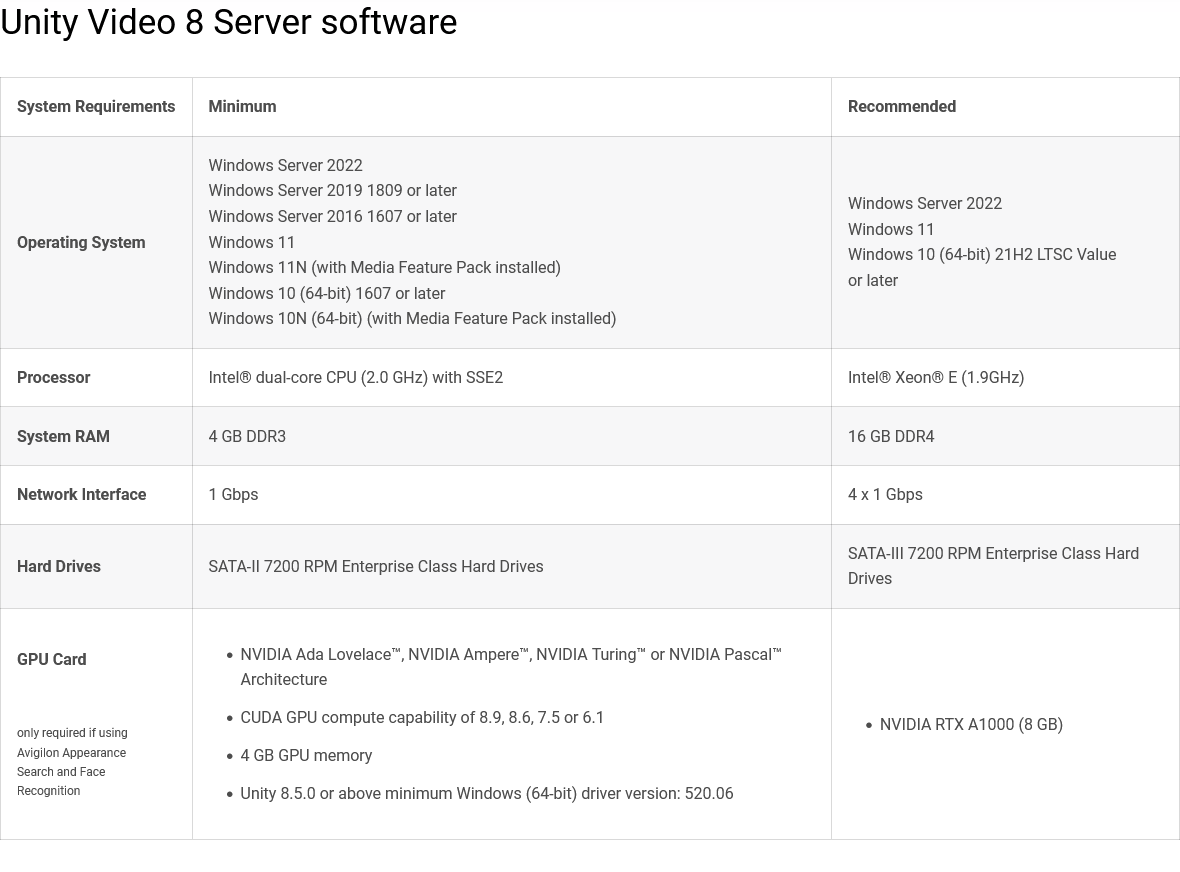
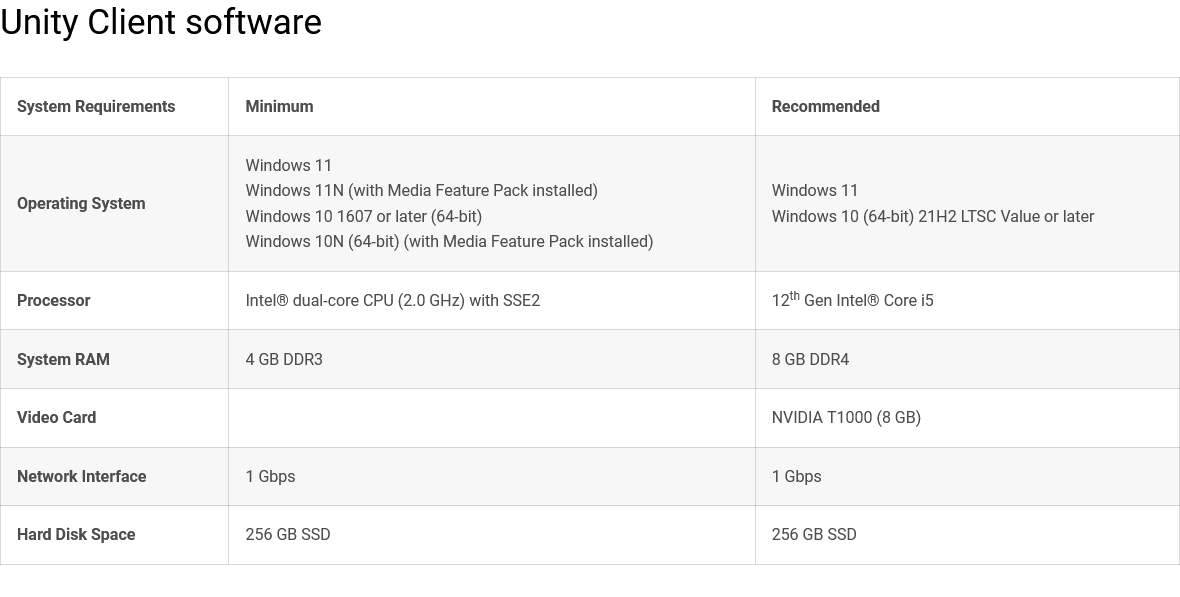
Upgrade path: ACC 5 to ACC 7 to Unity 8
ACC 5 can’t upgrade straight to Unity 8, so the upgrade goes through ACC 7.
- Update to the latest version of ACC 5
- Back up the configuration From the ACC Client.
- Back up your license keys
- Install the latest version of ACC 7
- Apply your upgrade key From the ACC 7 Client.
- Upgrade to Unity 8
- Check that licensing is intact
Avigilon’s upgrade article
Avigilon’s own article: Can I upgrade ACC 5 or ACC 6 to Unity 8?
Something wrong or out of date here? Tell me